COLOR EDIT
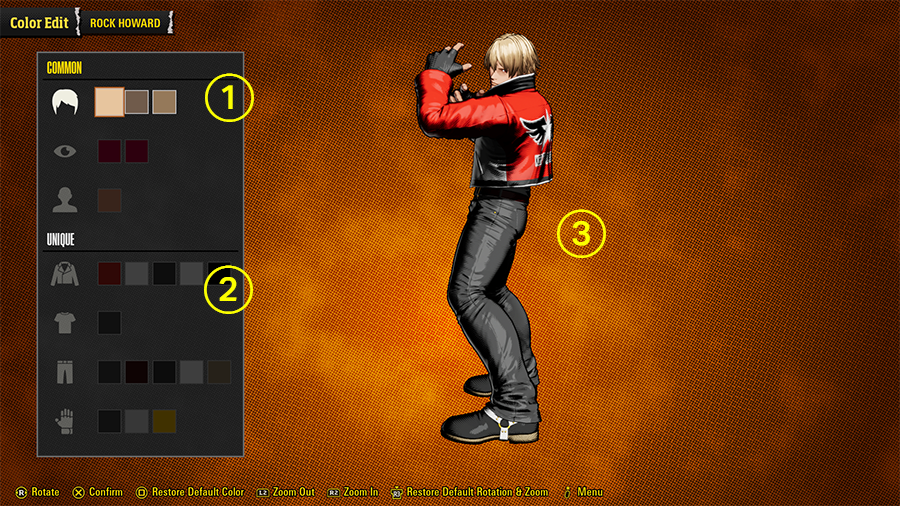
Freely customize a character's colors.
01 Common
Alter the color of a character's hair, eyes, lips, and so on.
The flashing portion indicates the part of the character being changed.
02 Unique
Alter the color of a character's clothing.
The flashing portion indicates the part of the character being changed.
Controls
When you choose "Restore Default Color" while no section of a character is actively highlighted, all of your changes will be discarded and the character will revert to their default colors.
By extension, when you choose "Restore Default Color" while a specific section is actively highlighted, only the changes for that portion will revert to their default colors.
Saving Colors
Once you've finished modifying a character's colors, open the menu and select "Save" to save your handiwork.
Up to 10 modified color schemes can be saved, which are usable in every battle mode.
(Head to Settings > Game > Edited Colors to show or hide opponents' customizations in online matches.)